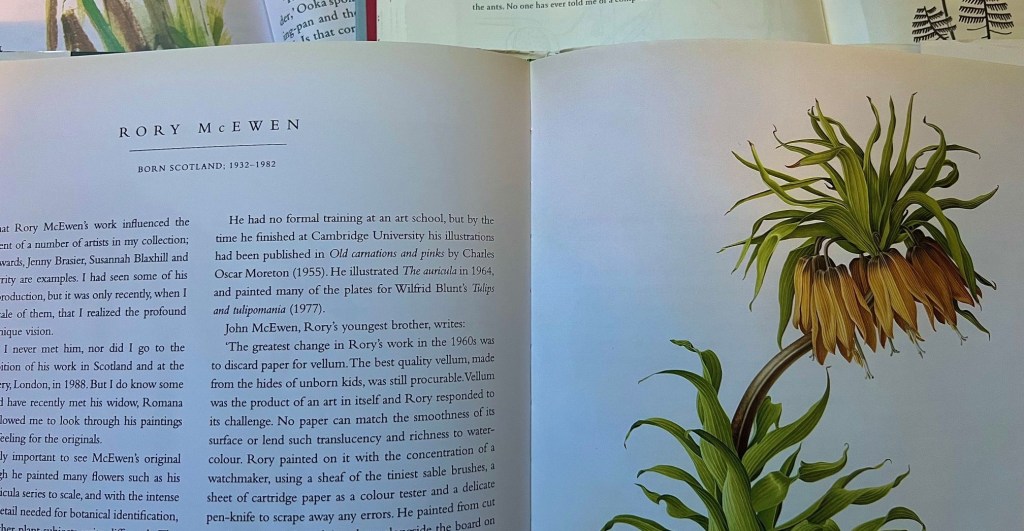
In Contemporary Botanical Artists (Sherwood, 1996), the chapter titles use generous spacing between letters—a design choice that gives them the same elegant look as illustrations and text.
Character Spacing
One simple and effective way to recreate this layout is Character Spacing. By fine-tuning the distance between letters, you can emphasize key phrases and titles.
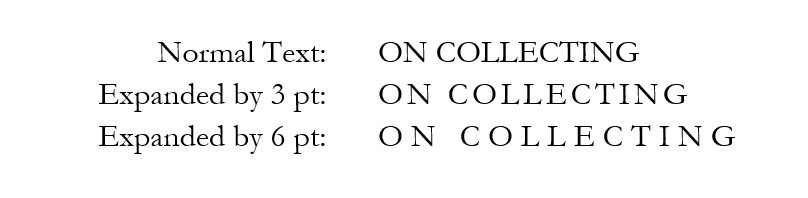
In Microsoft Word, you will find Character Spacing in the Advanced Font dialog.
While Google Docs does not have this feature, staying curious pays off – each time I ask Google’s AI assistant about it, I learn something new about Google Docs.
Try It in Microsoft Word
- Select the text you want to format as expanded.
- In Font options, click the Advanced tab.
- Select Spacing and select Expanded, 6pt.
Ask an AI Assistant about Google Docs Support
- Navigate to gemini.com or copilot.com.
- Enter the prompt:
how do I use character spacing in google docs?
Shirley Sherwood, Contemporary Botanical Artists, (New York, Cross River Press, 1996), page 11.
 How Did They
Leave a comment